August 16, 2026
Storefront Window QR Codes: A Practical Guide
Planning a storefront QR graphic? Use this practical guide to sizing, contrast, materials, placement, testing, and tracking for Dayton-area businesses.
By Print Wave
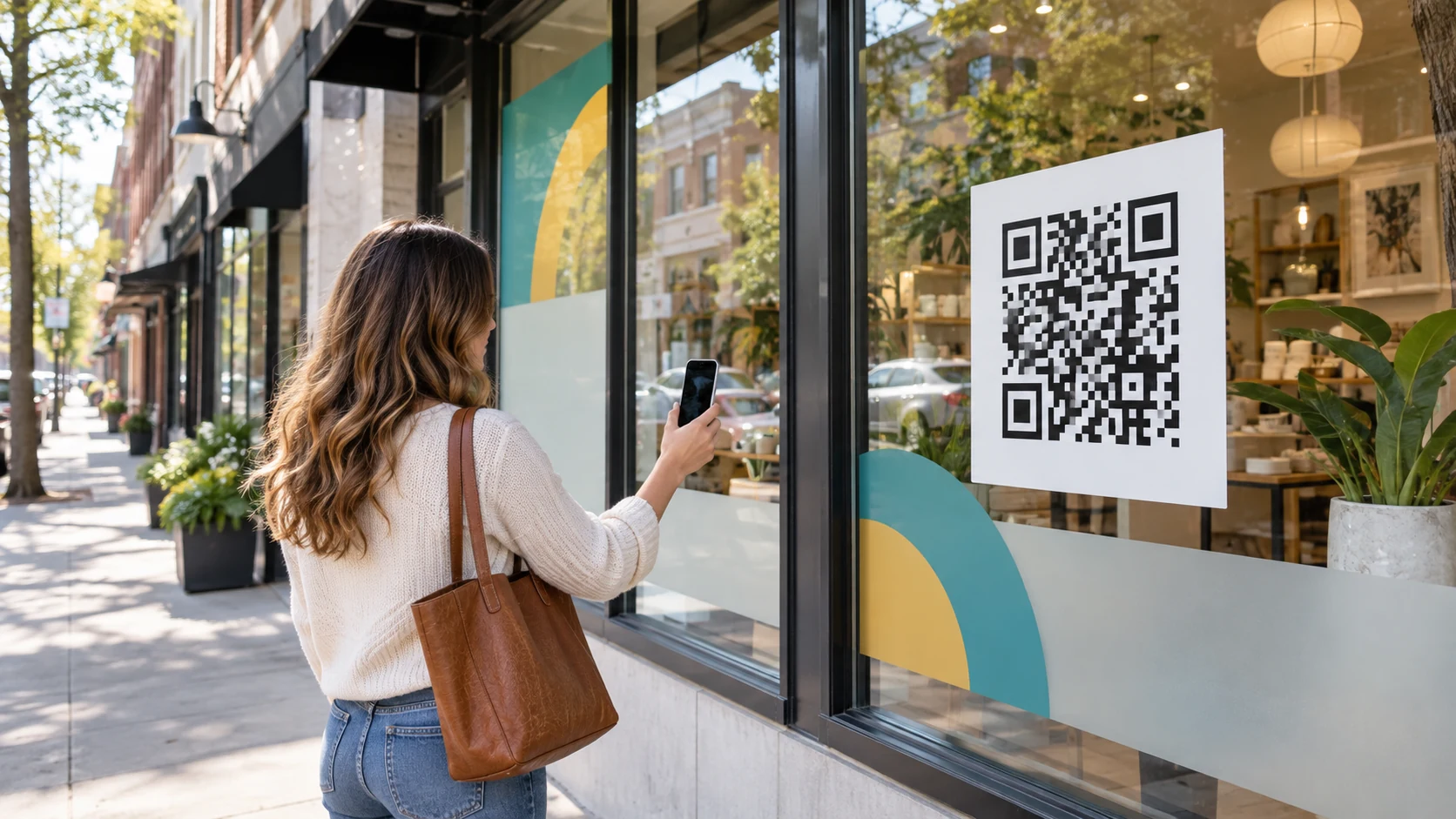
QR codes can turn a storefront window into a useful path from sidewalk interest to a specific online action. The code only works, however, when a customer can see it, understand why they should scan it, and successfully scan it in the actual lighting and viewing conditions outside your business.
For a dependable storefront QR graphic, print the code on a high-contrast opaque area, preserve clear space around it, size it for the real viewing distance, and test the finished artwork from the sidewalk before installation. Those decisions matter more than decorative effects.
If you are planning a new storefront display, Print Wave can coordinate the QR panel with your window graphics and storefront vinyl so the code looks intentional rather than added as an afterthought.
Start With One Useful Destination
Decide what the scan should accomplish before designing the window. A QR code should lead to one clear next step, such as:
- Booking an appointment
- Viewing a current menu or service list
- Claiming an offer
- Joining a loyalty program
- Registering for an event
- Getting directions or contacting the business
Send people to the most relevant mobile-friendly page, not automatically to the homepage. The page should load quickly, explain the offer immediately, and make the next button easy to tap.
A static QR code is appropriate when the destination is unlikely to change. A managed or dynamic QR code can be useful when you want to change the destination later or review scan activity without replacing the window graphic. Before choosing a provider, confirm its ongoing fees, data retention, and what happens to the code if the account is closed.
Design a QR Code for Real Storefront Conditions
Preserve the quiet zone
The blank margin around a QR code is part of the functional design. DENSO WAVE, the QR Code developer, specifies a clear quiet zone four modules wide on every side of a standard QR code. Do not place a border, photograph, pattern, or promotional text inside that space. See the official QR Code margin guidance for the technical explanation.
Use strong contrast
Dark code modules on a solid light background are the safest starting point. Clear glass, reflections, interior displays, changing daylight, and vehicle headlights can all reduce effective contrast. An opaque white vinyl panel behind the code gives the scanner a more predictable surface.
Size for viewing distance
There is no universal minimum size for every storefront. A code scanned from arm's length can be smaller than one meant to be noticed from across a wide sidewalk. The amount of data encoded, camera quality, lighting, glare, and viewing angle also matter. Make the code as large as the layout reasonably allows, then test it at the intended distance instead of relying on a template.
Do not stretch or redraw it
Scale the QR code proportionally. Do not crop it, round off modules, compress the file, or place a logo over the center unless the generated code has been tested for that exact treatment. A vector PDF or SVG is preferable for large printed graphics because the edges stay sharp when enlarged.
For more help preparing scalable artwork, review our print-resolution guide.
Match the QR Panel to the Window Material
Different window films create different scanning conditions.
Opaque window decals
An opaque decal or printed white panel usually provides the most predictable contrast. It can carry the code, a short call to action, and a small amount of supporting copy without the store interior showing through.
Frosted window film
Frosted film can support privacy and branding, but the code still needs a clean, high-contrast area. Depending on the film and lighting, a separate opaque patch may scan more consistently than printing directly over a textured or translucent background.
Perforated window film
Perforated film is useful for covering larger areas while maintaining some outward visibility from inside. The perforations can interrupt the small square modules that make a QR code readable. Keep the code on a separate opaque panel rather than assuming it will work when printed directly across the perforated pattern.
Print Wave offers custom window graphics and contour-cut window graphics for Dayton-area storefront projects.
Choose a Placement Customers Can Actually Use
Place the code where a customer can stop safely without blocking a doorway or standing in traffic. Comfortable eye and phone height is usually more useful than placing it at the top of a full-window design.
Before approving the layout, check:
- Whether door frames, handles, mullions, or displays interfere with the code
- Whether direct sunlight or interior lighting creates glare at common viewing times
- Whether the code is still visible when the business is closed
- Whether a person can stand far enough away to focus a phone camera
- Whether required door markings, hours, and accessibility information remain clear
If the graphic is installed inside the glass, window tint and reflections may affect scanning. If it is installed outside, the chosen vinyl and laminate need to fit the exposure and expected service life. Confirm the installation side before the artwork is finalized.
Track the Result, Not Just the Scan
Scan counts are useful, but they do not tell the whole story. Connect the QR destination to the business result you care about: completed bookings, offer redemptions, calls, form submissions, or purchases.
For multi-location campaigns, use a separate code or tagged destination for each storefront. That keeps one location's response from being mixed with another. You can also use campaign parameters to separate the front door, left window, seasonal display, or specific promotion in analytics.
Test the destination whenever the offer or website changes. A perfectly printed code still creates a poor experience if it leads to an expired promotion, a slow page, or a form that is difficult to use on a phone.
Storefront QR Code Preflight Checklist
Before the graphic goes to print:
- Confirm the final destination URL and test it on a phone
- Use a vector or high-resolution QR source
- Keep a clear four-module quiet zone around the code
- Maintain dark-on-light contrast on an opaque background
- Print or proof the code at its final physical size
- Scan from the planned distance and angle in bright and dim conditions
- Test with more than one phone and camera app
- Confirm the call to action explains what happens after the scan
- Recheck the live destination immediately after installation
Plan the Window Graphic With Print Wave
Print Wave produces window graphics for businesses from our Centerville shop. We can review the finished size, material, artwork, installation side, and QR placement before quoting the project. Final timing depends on the approved artwork, material, quantity, finishing, and production schedule.
Request a window-graphics quote or call (937) 907-8008 to discuss the storefront and the action you want customers to take.
Frequently Asked Questions
How large should a storefront QR code be?
Size it for the actual scanning distance, not a universal template. Make it as large as the design reasonably allows, keep the modules sharp, and test a full-size proof from the sidewalk before production.
Can a QR code be printed directly on perforated window film?
It may be unreliable because the perforations interrupt the code pattern. A separate opaque, high-contrast panel is the safer approach and should still be tested at final size.
Do I need a dynamic QR code?
No. A static code is fine for a stable destination. A managed or dynamic code is useful when you need to change the destination or track scans, but you should understand the provider's fees and account requirements first.
Should the QR graphic go inside or outside the glass?
That depends on the window, tint, film, exposure, and desired lifespan. Inside installation offers physical protection, while outside installation can avoid some reflection and tint issues. Test the planned material and installation side on the actual window.
What file should I send to the printer?
A vector PDF or SVG is ideal for a large QR graphic. Include the destination URL separately so it can be verified, and do not flatten the code into a low-resolution screenshot.